Client reports
A monthly report for every client, sent by email
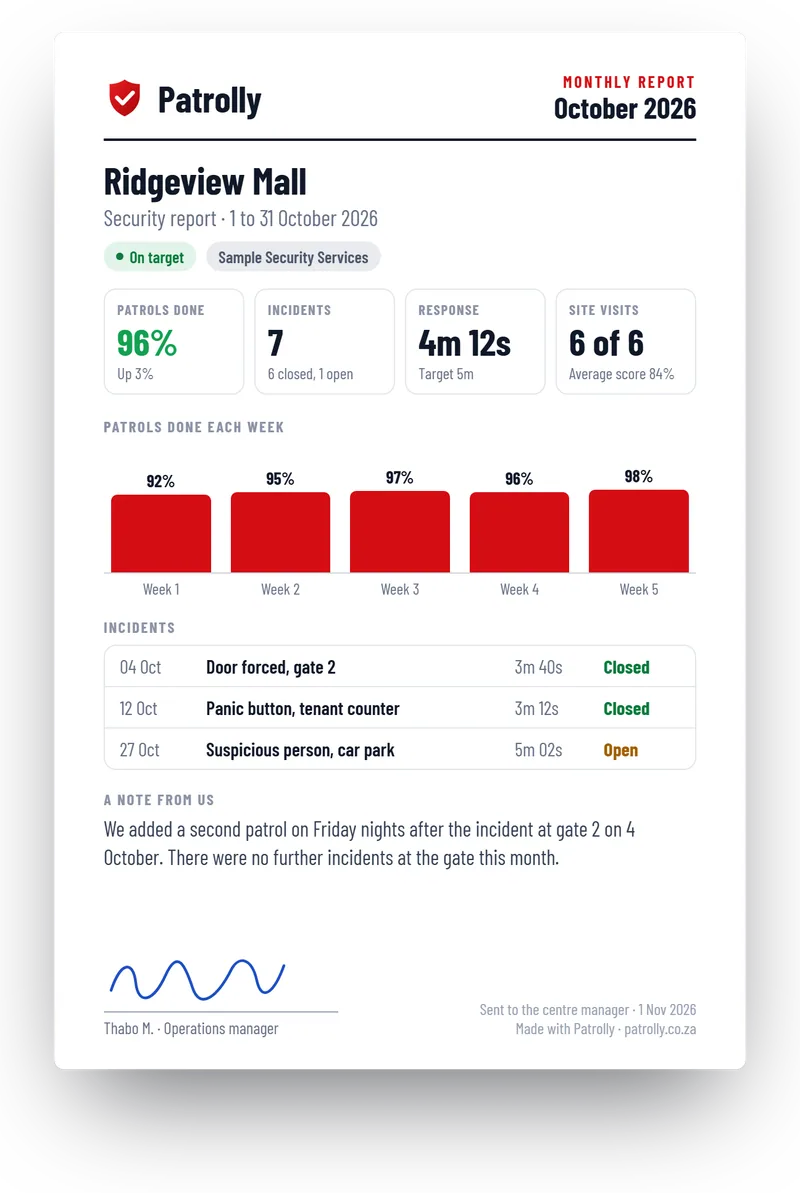
Patrolly builds a PDF for each client with the patrols done, the incidents, the response times and the site visits. It goes out by email. Your clients never need a login.
How the monthly report works
- 1
Set it up once
Pick the client, the sites and the people who get the report. Choose the day of the month.
- 2
Patrolly builds it
It uses what your team already captured: patrols, entries, incidents, response times and site visits.
- 3
It goes out by email
The client gets a PDF with your logo. You can look at it first, or let it go out by itself.
Every report your clients get
All of them go out by email as a PDF. Nobody has to log in.
Monthly report
One PDF a month for each client, with the numbers and a note from you.
Incident report
Sent when something happens, with photos and signatures.
Learn moreAlarm call-out report
Sent to the owner after every alarm call-out.
Learn morePatrol report
Every checkpoint with its time, for any night.
Learn moreReports without more logins
Only your own staff log in to Patrolly. Your clients just get an email.
No login for clients
The client opens an email. There is nothing to install and no password to forget.
Your logo and your words
Reports carry your company logo and your own note, so they look like they come from you.
Only the right people
Each client has its own list of people who get the report, and every report that goes out is logged.
Questions
Common questions
Not here? Message us on WhatsApp and we will answer.
Do clients need a login?
Can we choose what goes in the report?
Can one report cover several sites?
Can we send it to more than one person?
Is it sent automatically?
Want to see a client report?
Message us on WhatsApp. We show you a monthly report built from sample data, with your own logo.