Alarm call-out report
Send the owner a report after every alarm call-out
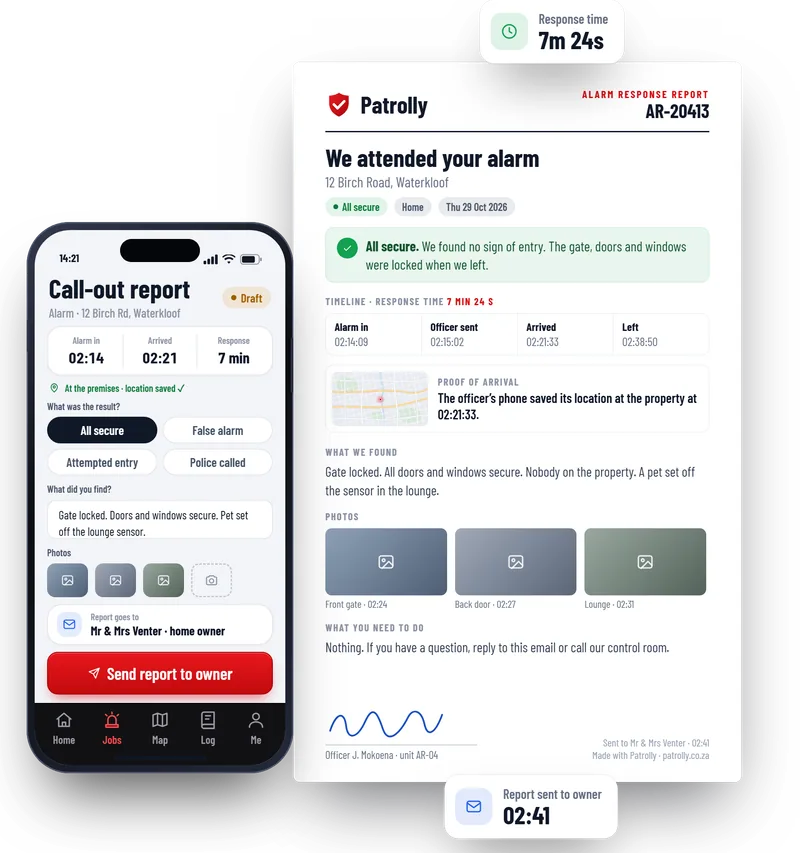
Your officer attends the alarm and fills in a short form on their phone. The owner gets a clear report with the times, what was found, photos and proof that your team was there.
From alarm to report in four steps
- 1
The officer is sent
Your operator creates the job in the control room and sends the nearest officer.
- 2
The officer arrives
They tap “I’ve arrived”. The time and the phone’s location are saved, as proof that they were there.
- 3
A short form, on the spot
They pick the result, write a line about what they found and take a few photos.
- 4
The owner gets the report
One tap sends it by email to the home owner or the company owner.
What the officer fills in
Short on purpose. An officer can finish it in a minute, standing at the gate.
- The result: all secure, false alarm, attempted entry or police called
- A line or two about what they found
- Photos of the gate, the doors or anything unusual
- Their signature on the screen
What the owner gets
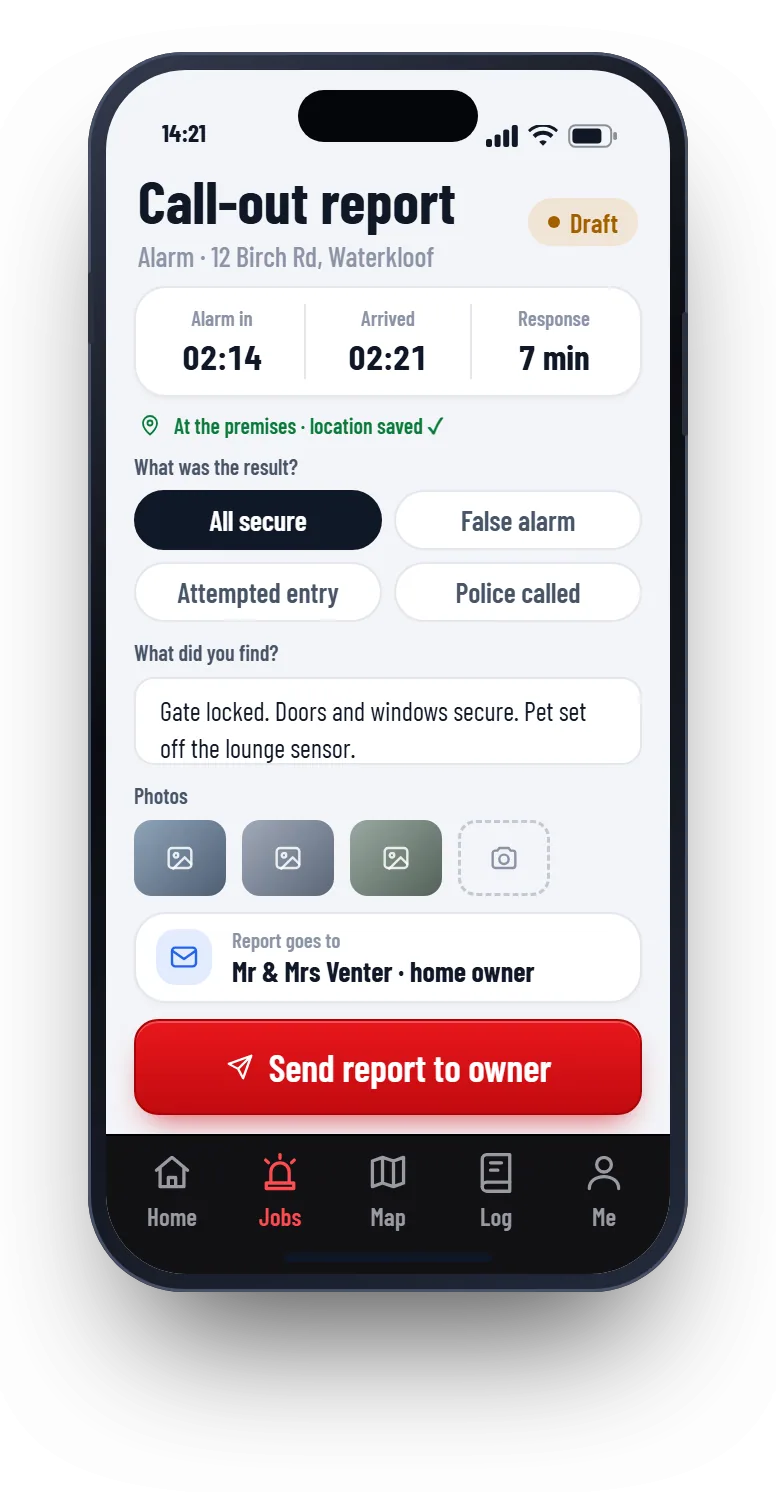
A clean one-page report. The status is at the top, so the owner sees at once that all is well.
- The status at the top: all secure, or what needs attention
- The alarm time, the arrival time and the response time
- Proof of arrival: the phone’s saved location and time
- What the officer found, with photos
- The officer’s name and signature
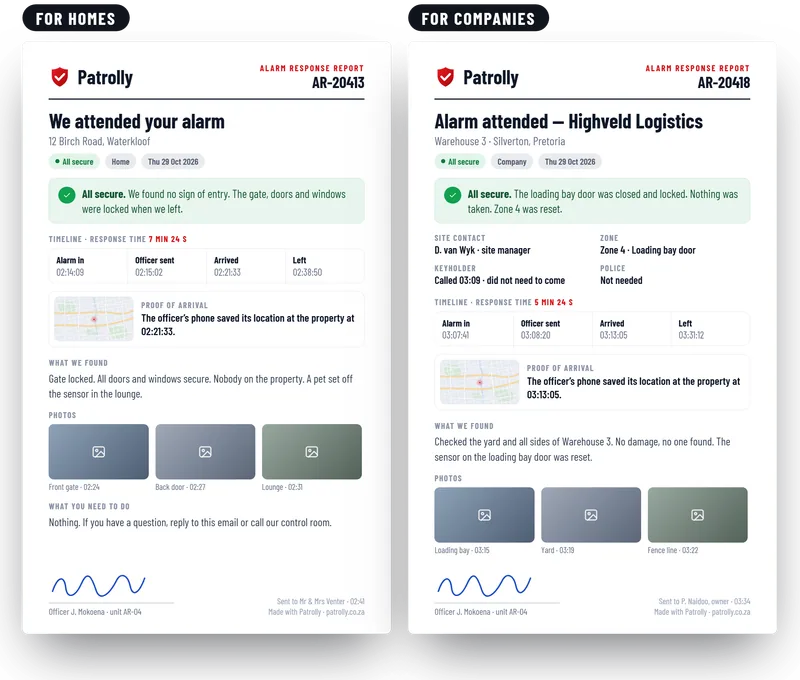
Home owners and companies get the right report
Home owners
A short report in plain words. It says the officer came, what they found and that the home is secure.
Company owners
A fuller report for business sites. It adds the zone, the site contact and who was called, and it carries a reference number.
Reports without more logins
Only your own staff log in to Patrolly. Owners and clients just get an email.
No login for owners
The owner opens an email. There is nothing to install and no password to forget.
Your logo and your words
The report carries your company logo. Home owners and companies can each have their own wording.
Only the right people
Each property has its own list of people who get the report. Every report that goes out is logged.
Questions
Common questions
Not here? Message us on WhatsApp and we will answer.
Does the owner need a login?
Can the report go by WhatsApp?
Does Patrolly know when an alarm goes off?
Can the officer send it without a signal?
Can we change what is in the report?
Is the report kept?
Are photos of someone’s home kept safe?
Want to see a call-out report?
Message us on WhatsApp. We show you the officer’s form and the report, with your own logo.