Control room
Send the nearest responder. Time every step.
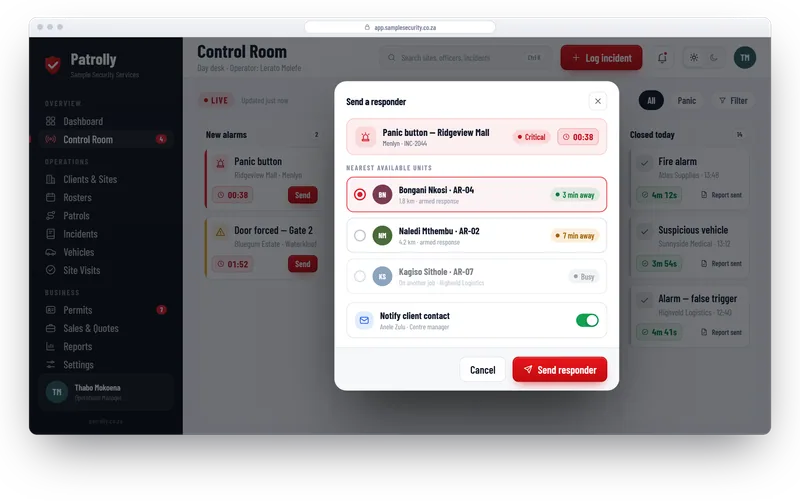
New alarms land on one board. Pick the nearest free responder, send them, and the clock starts. Every step is timed and saved, so you can show clients your response times.
From alarm to closed job
- 1
A job comes in
The operator creates the job from the alarm: site, type and priority.
- 2
Send the nearest responder
Patrolly suggests who is closest and free, with arrival time. The operator sends them.
- 3
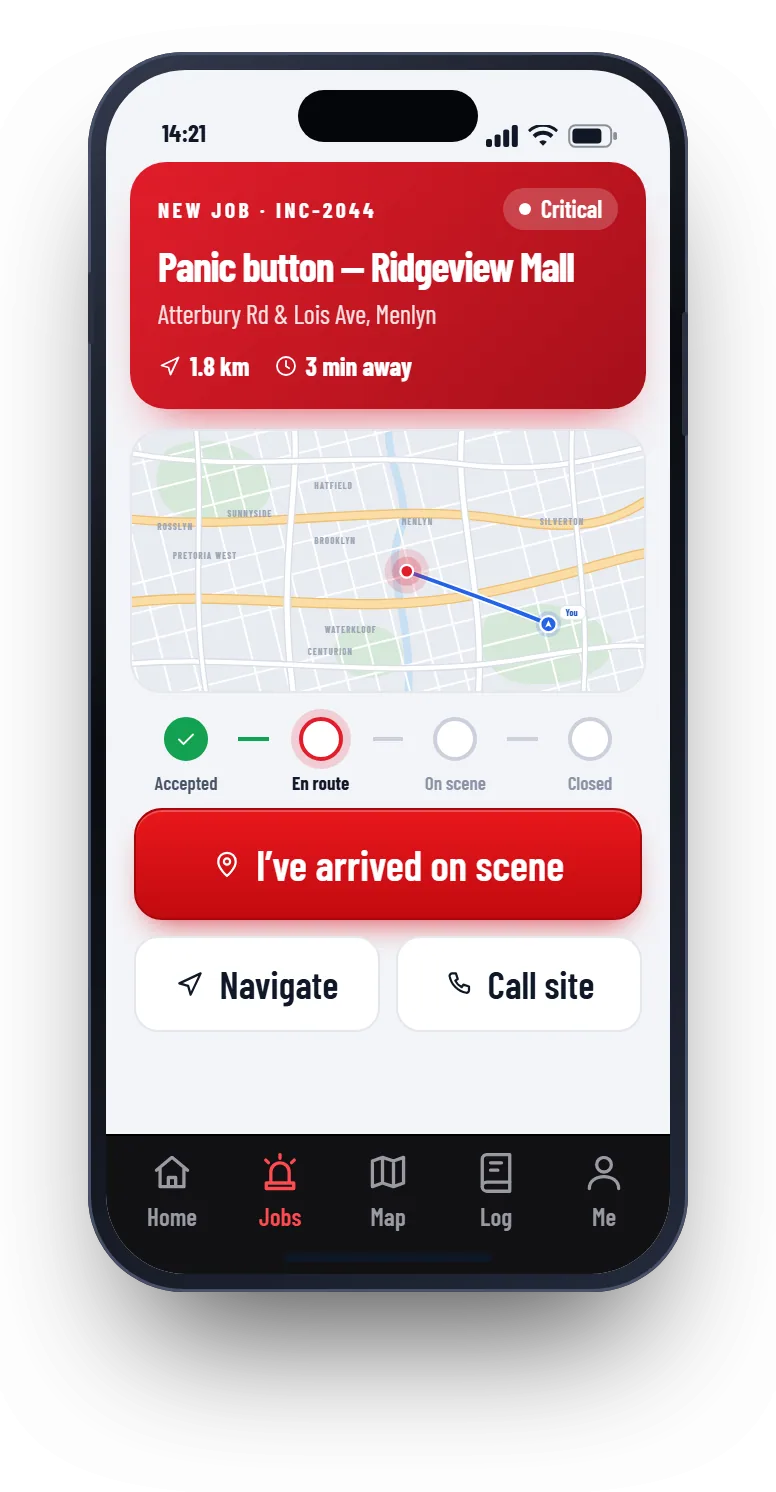
The responder works from the phone
They accept, navigate, tap “I’ve arrived”, and add notes and photos.
- 4
Close and report
The job is closed with an outcome. One click makes the incident report.
The responder’s phone
The job, the map and the buttons the responder needs, nothing more.
- Job details, site address and map
- One tap to navigate or call the site contact
- “I’ve arrived” and “Closed” buttons that stamp the time
- Notes and photos added on the spot
Response times you can prove
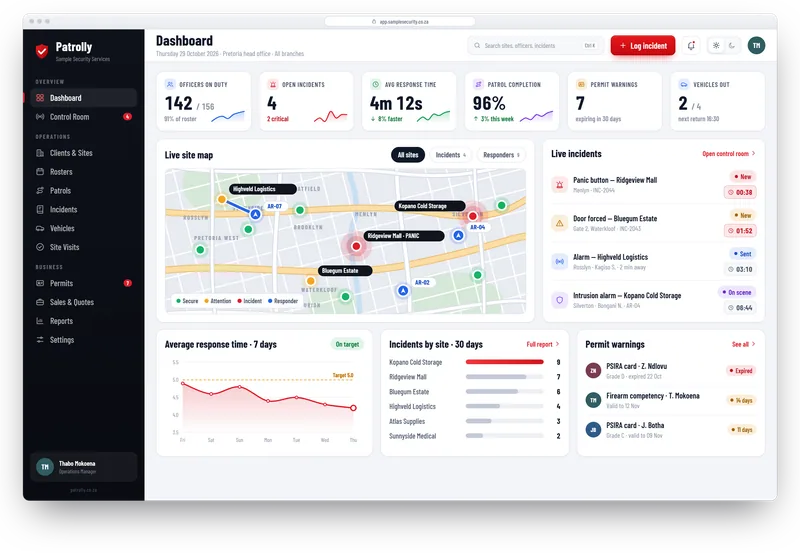
Each job has a clock and a target. It turns amber and then red before you miss the target.
- Average response time by site, responder and week
- Every step stamped: alarm in, sent, on scene, closed
- The site contact gets an email when help is sent
- A PDF report for the client in one click
Works next to your alarm software
Patrolly does not replace the alarm receiver. Your operator creates the job in Patrolly from the alarm, sends the responder and times the response. Connecting your alarm software, so jobs appear on their own, can be added later.
Questions
Common questions
Not here? Message us on WhatsApp and we will answer.
Does Patrolly receive alarm signals?
Can we see responders live on a map?
Is the client told automatically?
Can several operators work at once?
Want to see Patrolly with your own sites?
Message us on WhatsApp. We set up a free live demo with your sites, your logo and your guards.