Incident reports
Incident reports, done on the phone
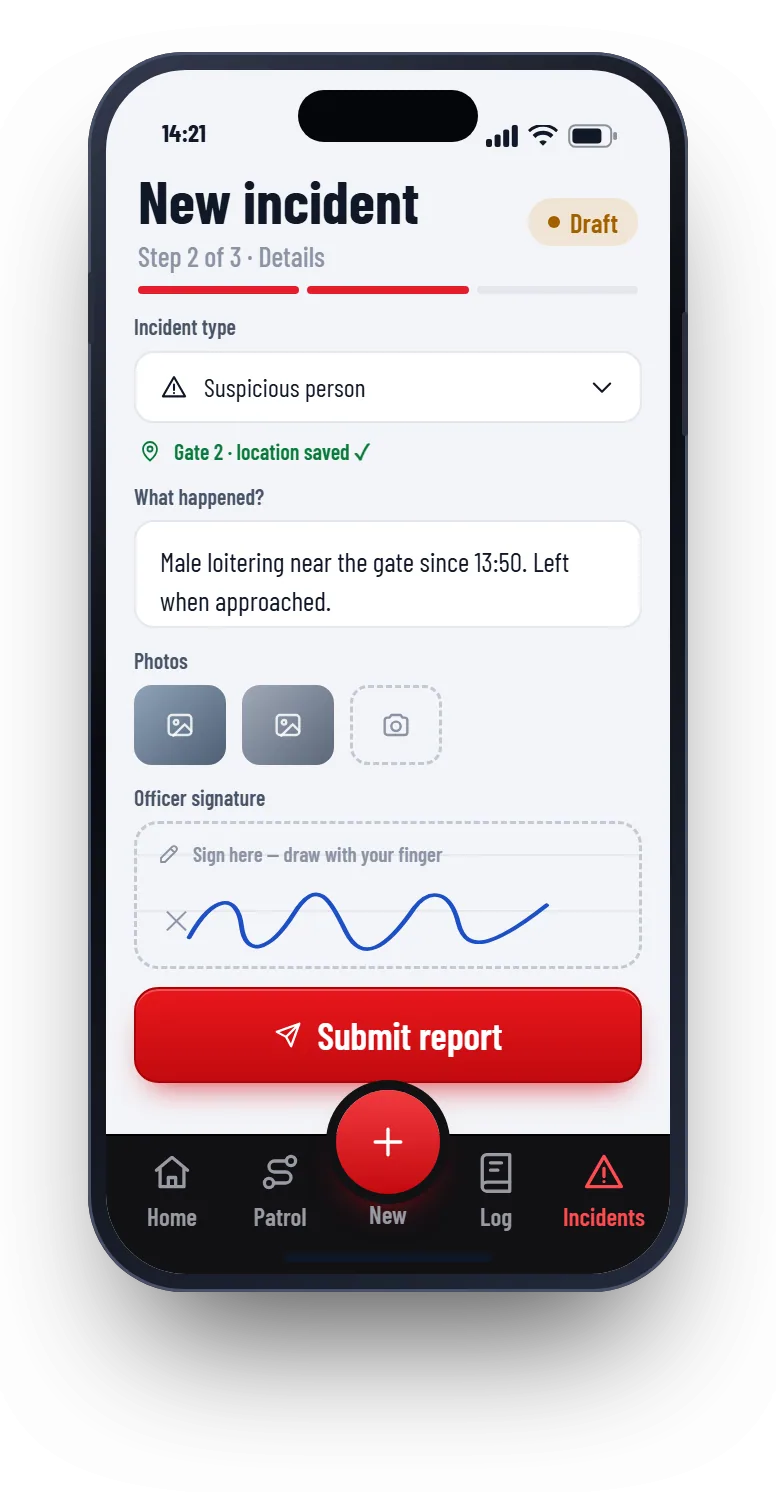
The guard picks the type, adds photos and signs on the screen. The time and location are saved for them. The supervisor reviews it and you send the client a PDF.
How a guard reports an incident
- 1
Pick the type
Search a short list: intrusion, theft, suspicious person, fire, medical and more.
- 2
Say what happened
A few lines and photos from the phone. The location is saved automatically.
- 3
Sign on the screen
The guard draws their signature with a finger.
- 4
Supervisor reviews
The supervisor adds notes, sets actions and closes it when done.
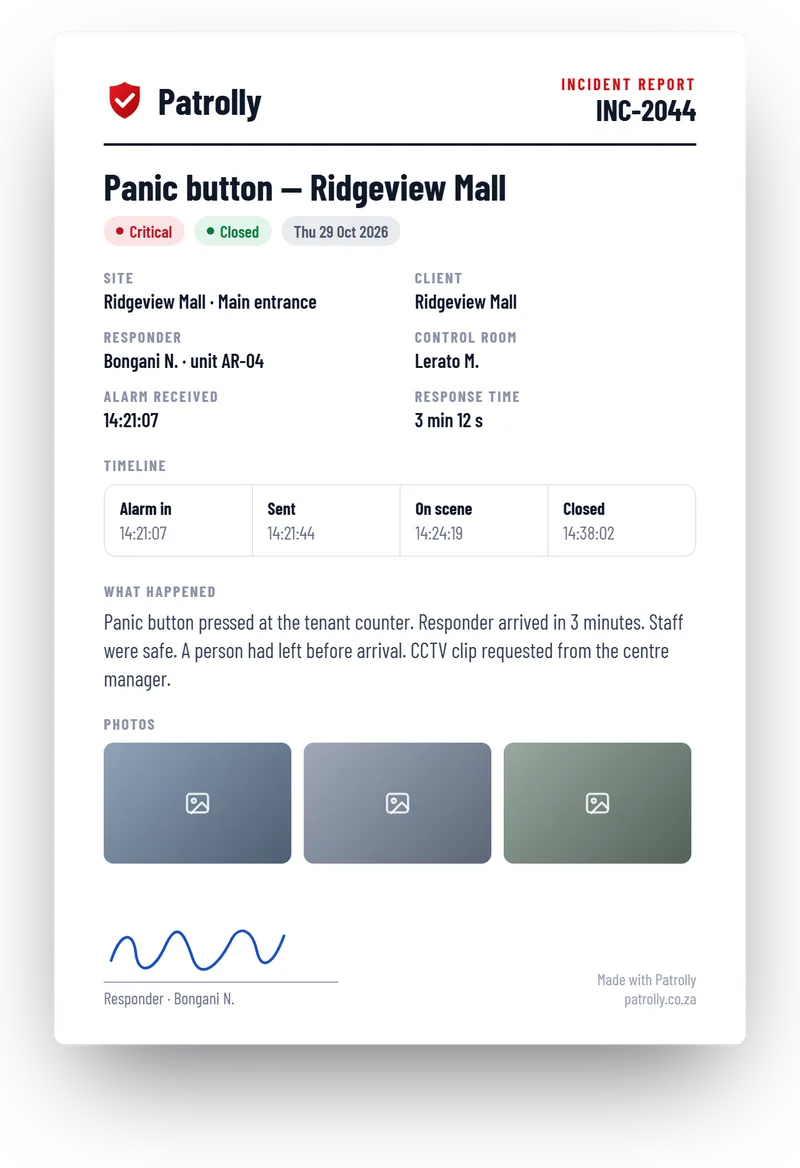
A PDF the client can read
One click turns the incident into a clean report with the details, the timeline, the photos and the signatures.
- Times, site, guard and responder
- Photos and the guard’s signature
- Sent to the client by email
Follow up until it is closed
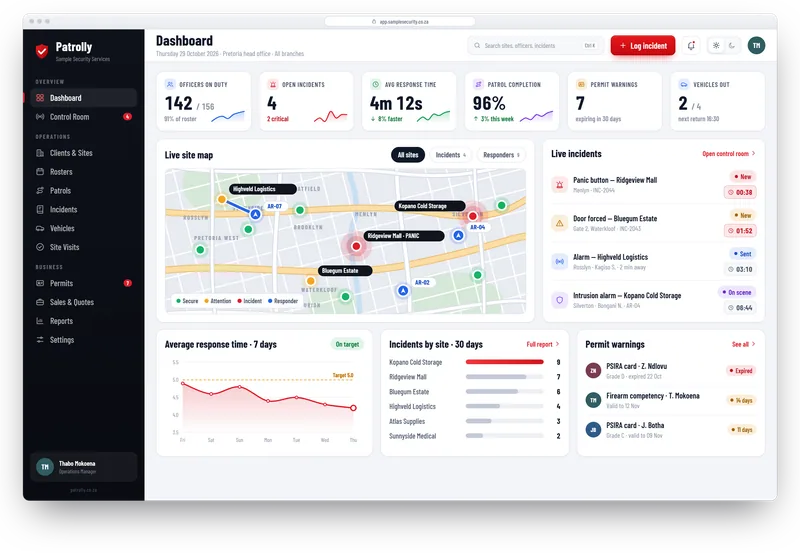
An incident is not finished when the guard sends it. Patrolly keeps it open until someone closes it.
- Every incident has a status: open, in progress or closed
- Actions can be given to a person
- Open incidents show on the dashboard
- Search past incidents by site, type or date
Questions
Common questions
Not here? Message us on WhatsApp and we will answer.
Can guards add photos?
Does the guard have to sign?
Can an incident report be edited later?
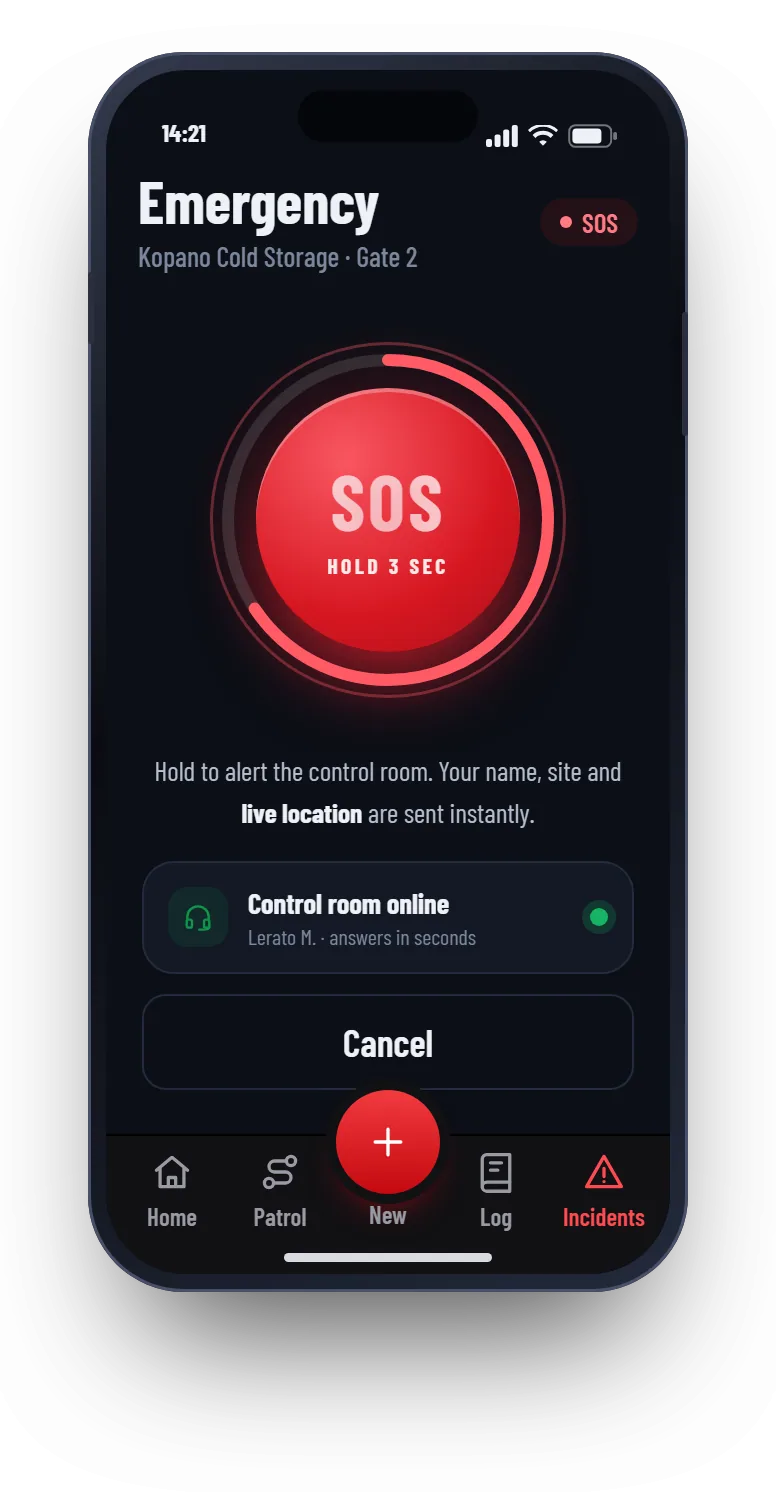
Can guards raise an emergency?
Want to see Patrolly with your own sites?
Message us on WhatsApp. We set up a free live demo with your sites, your logo and your guards.